
The kit
Elements [18]
EK Reveal Offer
One shared outcome
WooCommerce optional
Reveal Offer
Presents one shared promotional offer through a scratch-card or spin-the-wheel animation, with optional click-to-copy of a plain text code or an existing WooCommerce coupon.
Dynamic Data
Heading, message, code, CTA link
Styles
Scratch or wheel
Coupons
Never created by this element
Every visitor reveals the same offer.
Example of reveal offer with scratch style…
Here is your offer
Welcome20Use cases
Key features
What the element does, in plain terms. Every individual control is listed in the settings reference below.
Presentation styles
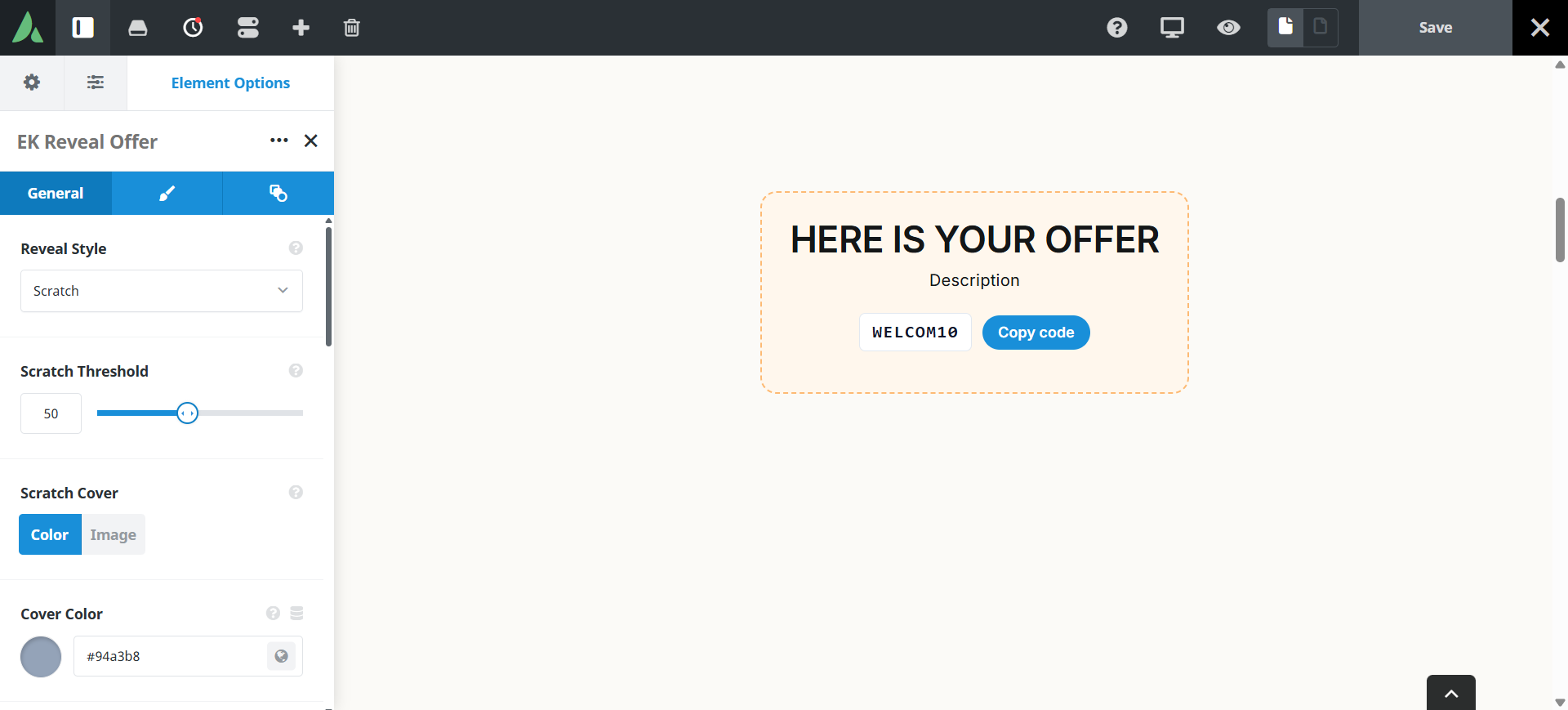
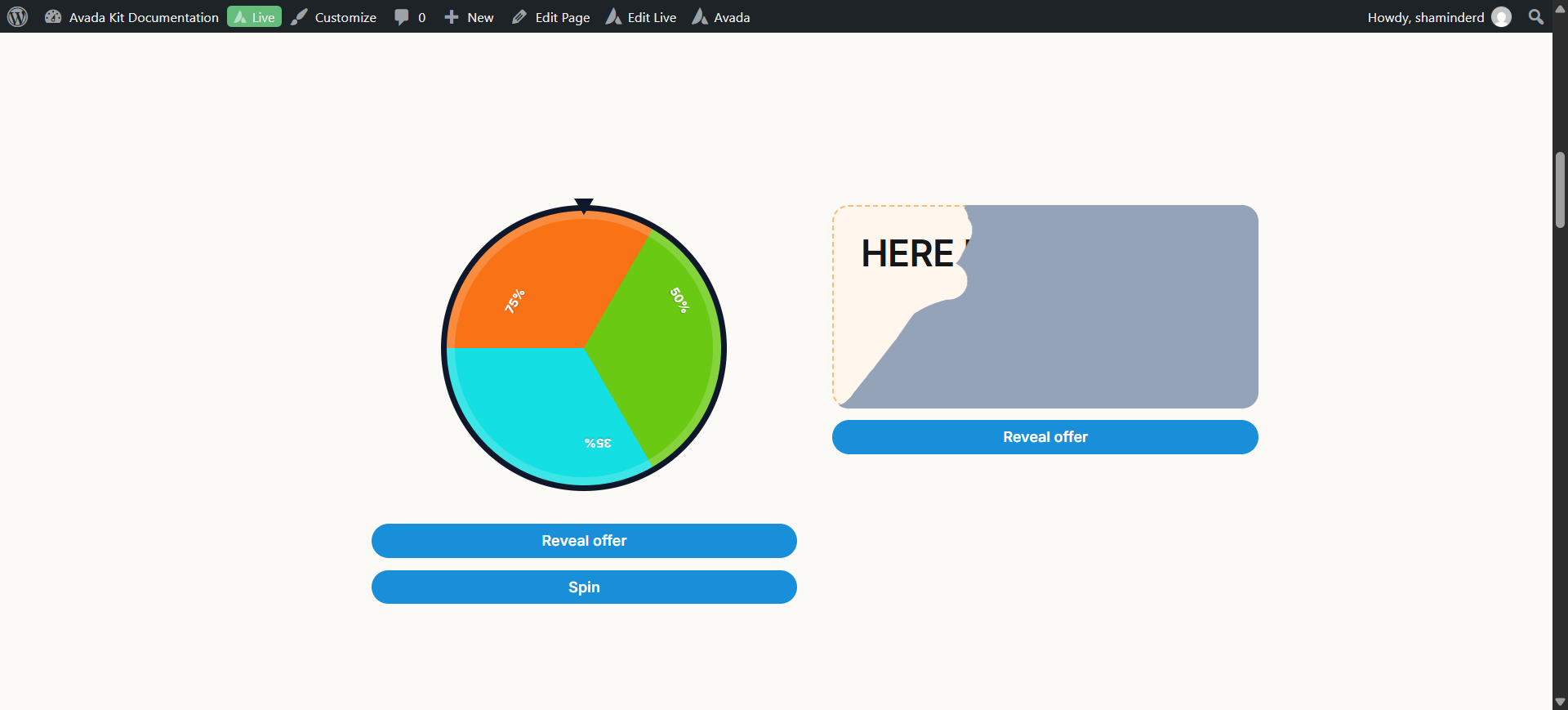
Scratch style
An HTML canvas cover erased by pointer drag, auto-revealing at a configurable scratch percentage. The cover can be a solid colour, an image, or labelled text.
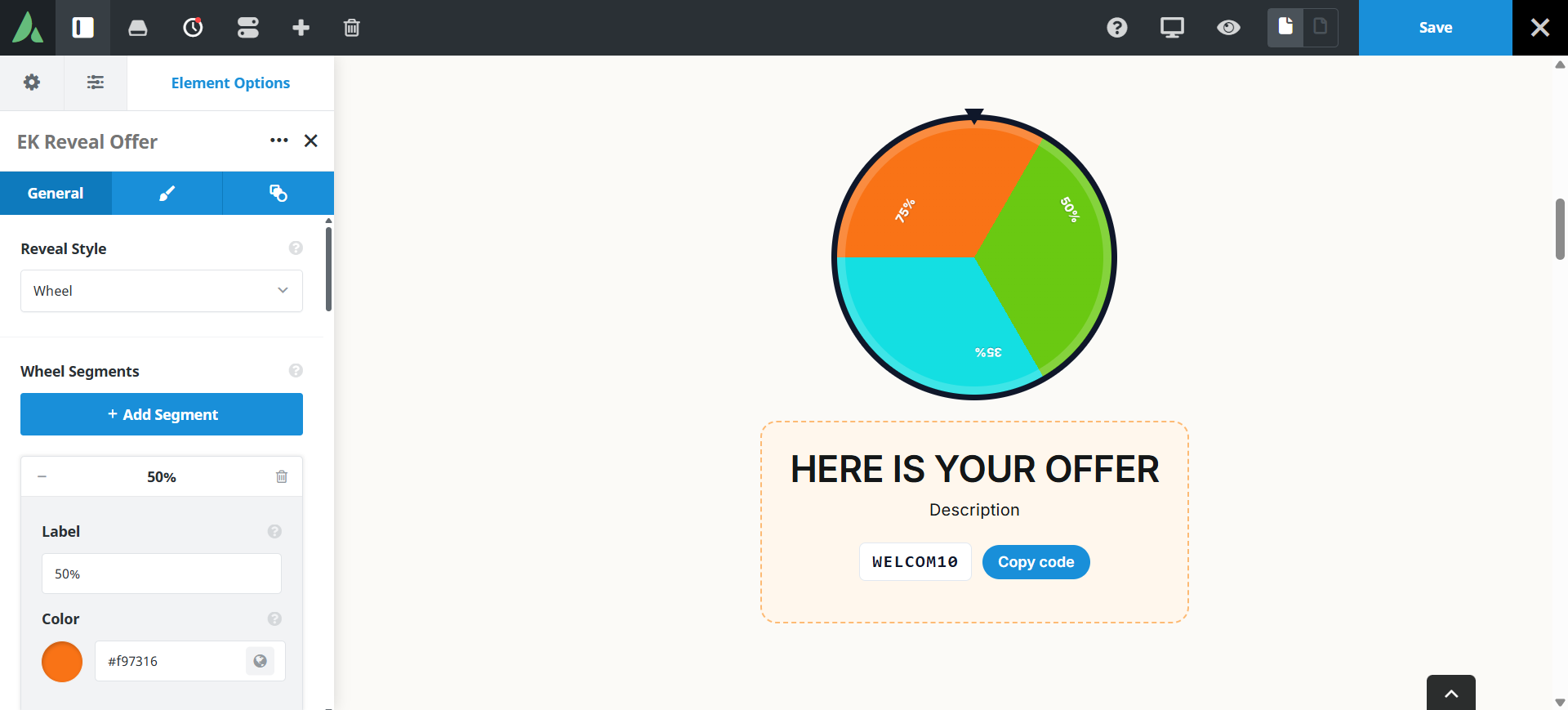
Wheel style
Decorative segments with a predetermined stop angle. Every segment resolves to the same shared offer, and the spin button animates to that fixed outcome.
Offer
Offer content
A heading, a message, and a code from plain text or a WooCommerce coupon dropdown, with an optional call-to-action link.
Accessibility
A dedicated Reveal offer button bypasses the scratch or spin gesture, prefers-reduced-motion skips the animation, and click-to-copy announces politely.
Design controls
Card background, typography, accent colour, maximum width, and scratch cover styling.
Settings reference
Every setting the element exposes, grouped by builder tab. Options are listed where the setting offers a fixed set of choices.
Presentation General tab
Style
Scratch · Wheel
Scratch asks the visitor to erase a cover. Wheel spins decorative segments to a fixed stop. Both reveal the same single offer.
Scratch threshold
Percentage
How much of the cover must be erased before the offer auto-reveals, so visitors are not left scratching.
Scratch cover
Solid colour · Image · Labelled text
What sits over the offer before it is revealed.
Wheel segments
Decorative labels
The labels drawn on the wheel. They are decorative only, because every segment resolves to the same offer.
Reveal offer button
On
An accessible button that reveals the offer without the scratch or spin gesture.
Offer content General tab
Heading
Dynamic Data
The headline shown once the offer is revealed.
Message
Dynamic Data
Supporting copy, for example the terms or the expiry date.
Code source
Plain text · WooCommerce coupon
Plain text uses a code you type. The WooCommerce option picks an existing coupon. The element never creates or edits coupons.
Plain code
Dynamic Data
The code shown and copied in plain text mode.
Click to copy
On · Off
Adds a copy button with a polite status announcement for screen readers.
CTA link
Dynamic Data
An optional button that sends the visitor to the shop or the campaign page.
Design Design tab
Card background
Background of the offer card behind the cover or wheel.
Typography
Font controls for the heading, message, and code.
Accent colour
Colour used on the button, the wheel, and the code chip.
Maximum width
Caps the card width so the interaction stays a comfortable size.
Margin
Per breakpoint
Outer spacing around the element, set separately for large, medium, and small screens and scoped to this element instance.
Padding
Per breakpoint
Inner spacing between the element container edge and its content, also set per breakpoint.
Extras Extras tab
Conditional Rendering
Avada logic conditions
Shows or hides the element based on logged-in state, user role, and the other conditions Avada’s logic system offers.
On this page
