
The kit
Elements [18]
EK Location Lister
Parent / child element
Cache-safe status
Location Lister
Displays a searchable grid or list of business locations with contact actions, structured business hours, live open and closed badges, optional tag filtering, and optional LocalBusiness schema.
Dynamic Data
Most per-location fields
Columns
1 to 4, per breakpoint
Schema
Optional LocalBusiness JSON-LD
Open and closed status is computed in the browser on each load.
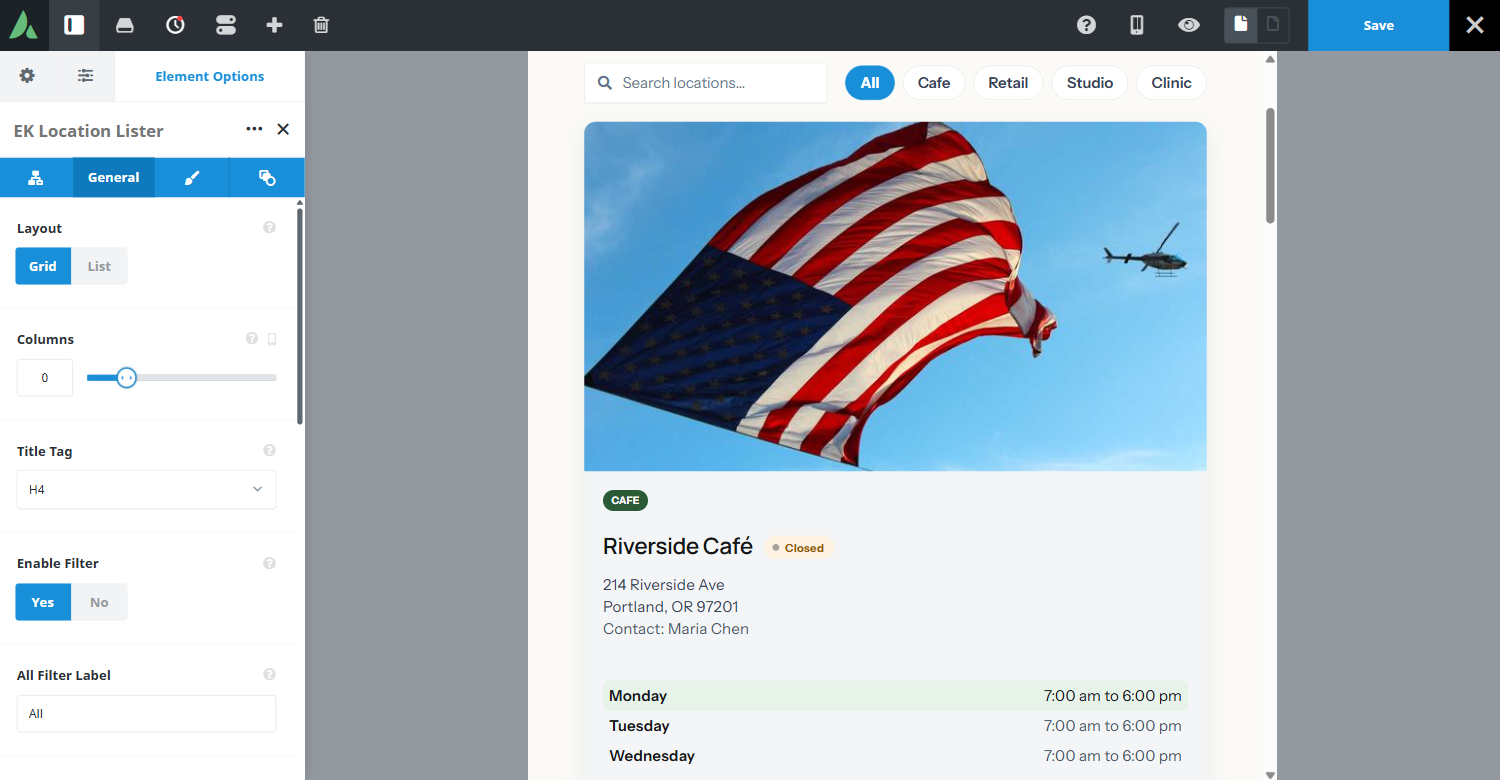
Example of location lister with grid layout and Business details and timings…
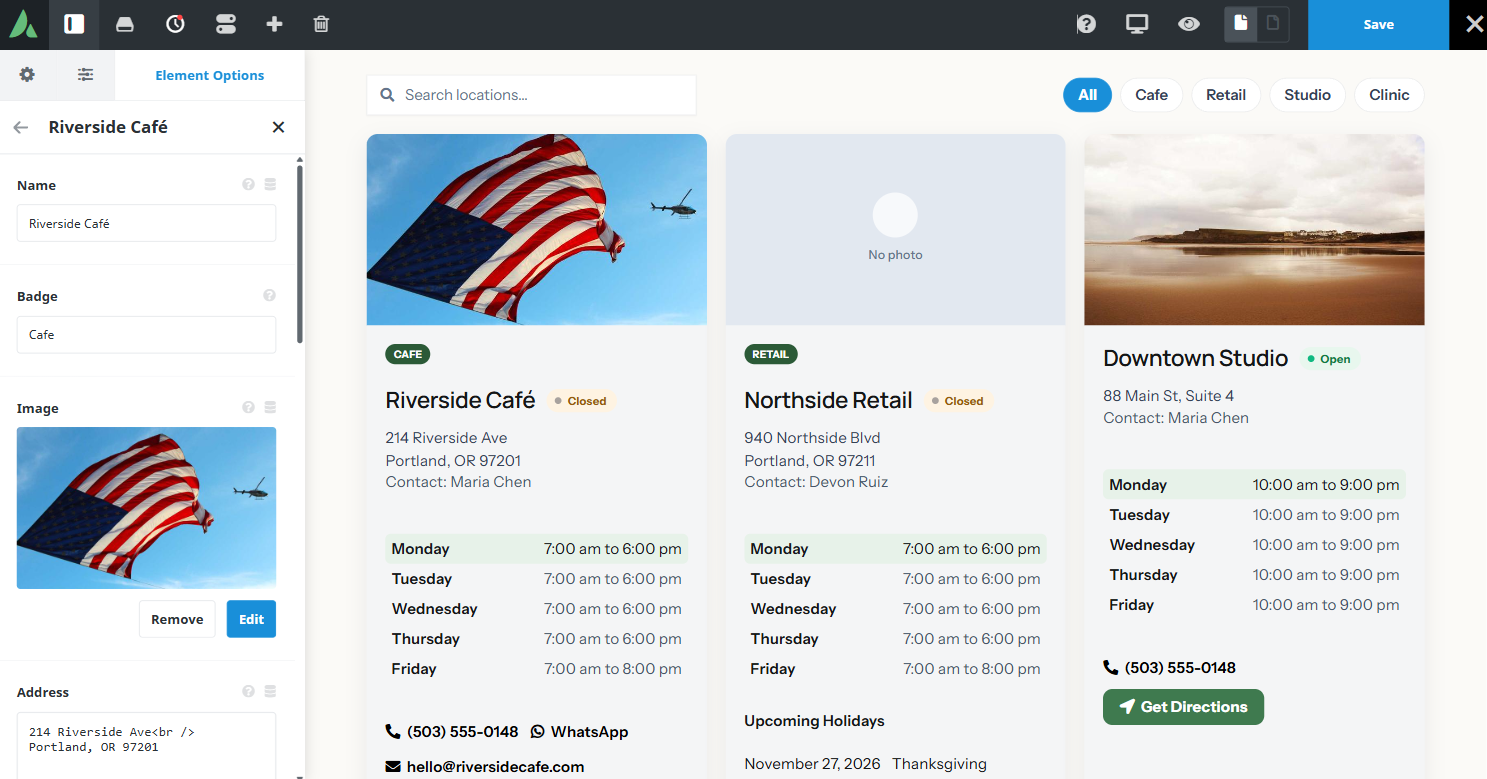
 Cafe
CafeRiverside Café
214 Riverside Ave
Portland, OR 97201Contact: Maria Chen
- Monday7:00 am to 6:00 pm
- Tuesday7:00 am to 6:00 pm
- Wednesday7:00 am to 6:00 pm
- Thursday7:00 am to 6:00 pm
- Friday7:00 am to 8:00 pm
 Retail
Northside Retail
940 Northside Blvd
Portland, OR 97211Contact: Devon Ruiz
- Monday7:00 am to 6:00 pm
- Tuesday7:00 am to 6:00 pm
- Wednesday7:00 am to 6:00 pm
- Thursday7:00 am to 6:00 pm
- Friday7:00 am to 8:00 pm
Upcoming Holidays
- Thanksgiving
- Christmas Day
Downtown Studio
88 Main St, Suite 4Contact: Maria Chen
- Monday10:00 am to 9:00 pm
- Tuesday10:00 am to 9:00 pm
- Wednesday10:00 am to 9:00 pm
- Thursday10:00 am to 9:00 pm
- Friday10:00 am to 9:00 pm
 Clinic
Clinic Annex
12 Health WayCall ahead — hours vary by provider schedule.
No locations found.
Example of location lister with list layout and search location option…
- Cafe
Riverside Café
214 Riverside Ave
Portland, OR 97201Contact: Maria Chen
- Mon7:00 am to 6:00 pm
- Tue7:00 am to 6:00 pm
- Wed7:00 am to 6:00 pm
- Thu7:00 am to 6:00 pm
- Fri7:00 am to 8:00 pm
- No photoRetail
Northside Retail
940 Northside Blvd
Portland, OR 97211Contact: Devon Ruiz
- Mon7:00 am to 6:00 pm
- Tue7:00 am to 6:00 pm
- Wed7:00 am to 6:00 pm
- Thu7:00 am to 6:00 pm
- Fri7:00 am to 8:00 pm
Upcoming Holidays
- Thanksgiving
- Christmas Day
Downtown Studio
88 Main St, Suite 4Contact: Maria Chen
- Mon10:00 am to 9:00 pm
- Tue10:00 am to 9:00 pm
- Wed10:00 am to 9:00 pm
- Thu10:00 am to 9:00 pm
- Fri10:00 am to 9:00 pm
No locations found.
Example of location lister with list layout and search location option…
- Cafe
Riverside Café
214 Riverside Ave
Portland, OR 97201Contact: Maria Chen
- Monday7:00 am to 6:00 pm
- Tuesday7:00 am to 6:00 pm
- Wednesday7:00 am to 6:00 pm
- Thursday7:00 am to 6:00 pm
- Friday7:00 am to 8:00 pm
- No photoRetail
Northside Retail
940 Northside Blvd
Portland, OR 97211Contact: Devon Ruiz
- Monday7:00 am to 6:00 pm
- Tuesday7:00 am to 6:00 pm
- Wednesday7:00 am to 6:00 pm
- Thursday7:00 am to 6:00 pm
- Friday7:00 am to 8:00 pm
Upcoming Holidays
- Thanksgiving
- Christmas Day
Downtown Studio
88 Main St, Suite 4Contact: Maria Chen
- Monday10:00 am to 9:00 pm
- Tuesday10:00 am to 9:00 pm
- Wednesday10:00 am to 9:00 pm
- Thursday10:00 am to 9:00 pm
- Friday10:00 am to 9:00 pm
- Clinic
Clinic Annex
12 Health WayCall ahead — hours vary by provider schedule.
No locations found.
Use cases
Key features
What the element does, in plain terms. Every individual control is listed in the settings reference below.
Location data
Per-location fields
Name, badge, image, address, phone, WhatsApp, email, contact person, directions URL, and comma-separated tags.
Structured business hours
Per-day open and close times chosen with hour, minute, and AM or PM selectors and stored as 24-hour values, with a per-location timezone override that defaults to the site timezone.
Upcoming holidays
An optional repeater with year, month, and day selectors and labels. Past dates are hidden, and the section is omitted when empty.
Finding a location
Live open and closed badge
Computed in the visitor’s browser on each load, so a full-page cache cannot freeze yesterday’s status.
Tag filter bar
A shared filter component built from the union of all location tags across items.
Client-side search
An optional field that filters by location name, address, or tags alongside the tag bar.
Contact and presentation
Phone and email obfuscation
On by default as a scrape deterrent. Click to call and click to email still work for visitors.
Grid or list layout
Responsive grid columns from 1 to 4 through the shared helper, or a vertical list, with card style presets and image aspect ratios including Original and Hide images.
Optional LocalBusiness JSON-LD
Off by default and separate from the Schema Markup element.
Internal card spacing
Section gap and hours block margins on the Design tab, separate from outer margin and padding.
Settings reference
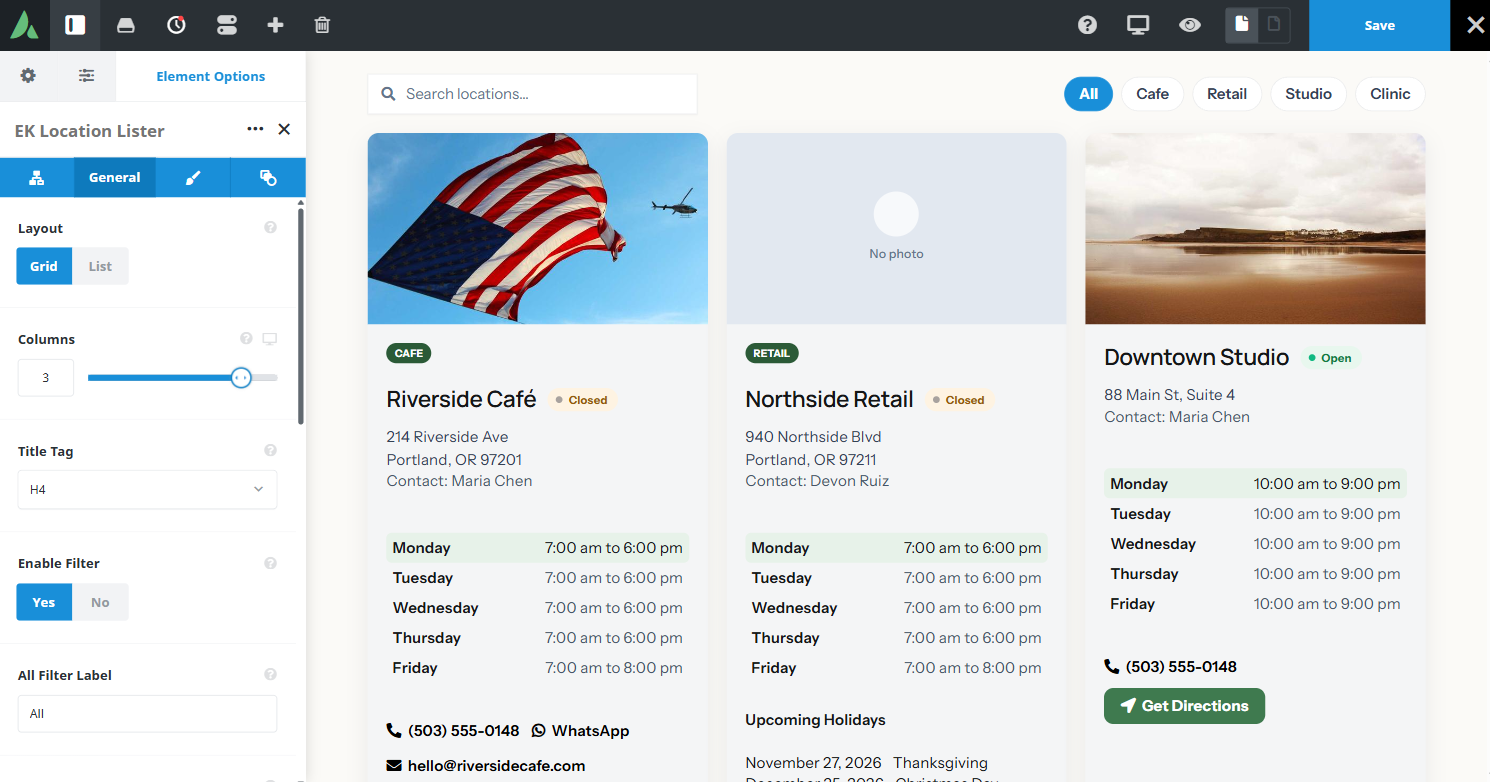
Every setting the element exposes, grouped by builder tab. Options are listed where the setting offers a fixed set of choices.
Locations Child element, one per location
Name
Dynamic Data
The location title shown at the top of the card.
Badge
Dynamic Data
A short label such as Head office or Flagship, shown beside the name.
Image
Dynamic Data
A photograph of the location, cropped to the chosen aspect ratio.
Address
Dynamic Data
The postal address, which is also searched by the client-side search field.
Phone
Dynamic Data
A click-to-call number, obfuscated in the markup by default.
Dynamic Data
A WhatsApp number or link, rendered as its own action button.
Dynamic Data
A click-to-email address, obfuscated in the markup by default.
Contact person
Dynamic Data
A named contact for the branch, for offices where visitors ask for someone specific.
Directions URL
Dynamic Data
The link behind the Get Directions button. Any map service URL can be used, since no map is embedded.
Tags
Comma-separated
Categories for this location. All tags across locations form the filter bar.
Business hours
Per day, 24-hour values
Open and close times chosen with hour, minute, and AM or PM selectors. Duplicate weekdays are blocked in the builder, and rendering uses the first row for a given day.
Timezone override
Defaults to the site timezone
The timezone used to judge open or closed status for this location.
Upcoming holidays
Year, month, day, label
Dated closures shown on the card. Past dates are hidden, and the section is omitted when the list is empty.
Layout General tab
Layout
Grid · List
Grid suits many short cards. List suits fewer locations with more detail per row.
Columns, large / medium / small
1 to 4 per breakpoint
Cards per row at each breakpoint, through the shared responsive columns helper.
Card style preset
The overall card treatment, for example bordered or elevated.
Image aspect ratio
Includes Original and Hide images
The crop applied to location images. Original keeps the uploaded proportions, and Hide images removes them entirely.
Filtering and search General tab
Tag filter bar
On · Off
Shows filter buttons built from the union of all location tags.
Client-side search
On · Off
Adds a search field that filters by name, address, or tags as the visitor types.
Open and closed badge
On · Off
Shows live status on each card, computed in the browser against the location timezone.
Contact obfuscation
On by default
Obscures phone numbers and email addresses in the markup as a scrape deterrent while keeping the links working.
LocalBusiness schema
Off by default
Emits LocalBusiness JSON-LD for the listed locations. Keep it off if the Schema Markup element already covers the page.
Design Design tab
Card colours and typography
Background, border, heading, and body treatment for location cards.
Action button styling
Appearance of the call, WhatsApp, email, and directions buttons.
Section gap
Vertical space between the sections inside a card, for example between address and hours.
Hours block margins
Space above and below the business hours block, independent of the outer spacing controls.
Margin
Per breakpoint
Outer spacing around the element, set separately for large, medium, and small screens and scoped to this element instance.
Padding
Per breakpoint
Inner spacing between the element container edge and its content, also set per breakpoint.
Extras Extras tab
Conditional Rendering
Avada logic conditions
Shows or hides the element based on logged-in state, user role, and the other conditions Avada’s logic system offers.
On this page
